


Our editorial team is comprised of skilled technology experts and developers. To ensure that our research is easy to understand in simple and plain English, we may use AI-assisted tools for grammatical refinement and structural smoothness. However, every technical insight, test, and experience displayed has been fully completed and verified by our human team. All content remains the original property of Droid Expose. See more in our Privacy Policy.
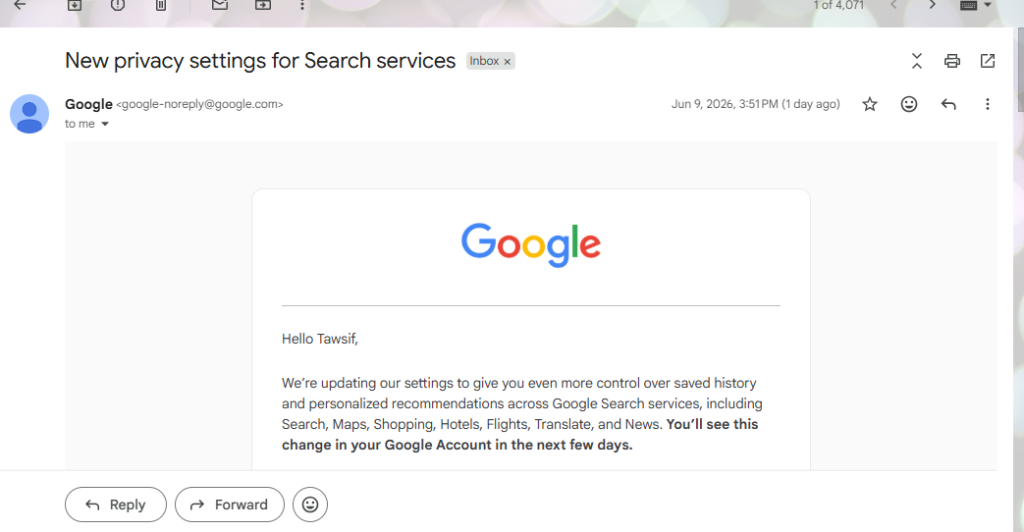
I delete most emails without opening them. Security alerts, storage warnings, the usual stuff. Tuesday evening one came in with the subject “New privacy settings for Search services” and honestly, my first instinct was the same. Another policy update nobody reads.
But the preview text stopped me. It said new settings were being turned on in my account based on my existing choices. That’s different from a general announcement. That’s Google telling me something changed on my end specifically.
So I opened it, read the whole thing, then went straight into my account to see what actually changed.
Fifteen minutes later I had turned one setting off that I hadn’t even known existed until that moment. Here’s the full picture.
Table of Contents
Google Split One Old Setting Into Two New Ones
For years, a setting called Web and App Activity controlled most of what Google saved about your Search behavior. Turn it on, your searches get saved and your recommendations get personalized. Turn it off, neither happens. Simple, but clunky. You couldn’t have one without the other.
Google has now replaced that with two separate settings specifically for Search.
The first one is Search Services History. This controls whether Google saves your interactions across Search, Maps, Shopping, Hotels, Flights, Translate, and News. And it saves more than just your search queries. According to Google’s own support documentation, it also includes info from sites you visit through Search services, your generative AI responses, and general location tied to those interactions. That’s broader than most people probably expect from search history.
The second setting is Personalised Recommendations. This controls whether Google uses your activity to tailor results, feeds, and AI responses to your interests.
They’re independent now. You can save history without personalization on. You can have personalization without keeping history. That’s actually a more sensible setup than what existed before.
Your existing choices carried over automatically. If Web and App Activity was on, Search Services History is now on. If it was off, it stayed off.
The Setting I Didn’t Know Was Being Turned On
This is the part the email buries a bit, and I almost missed it.
Inside Search Services History there’s a subsetting called Save Media. It covers photos you search with Google Lens, audio from Search Live conversations, voice searches, files you upload, and recordings from Translate speaking practice. When Web and App Activity was on during the transition, this subsetting got turned on automatically alongside Search Services History.
Google’s support page is direct about what happens with this data. It’s used to develop and improve Google services and technologies, including AI models. They also confirm that before data is used for training, it gets disconnected from your Google Account. So it’s not stored with your name attached when it goes into a training pipeline. They also use filters to automatically remove identifying information and sensitive personal details before any human review takes place.
One line from Google’s support page is worth quoting directly because it matters: when Search Services History is off, your future activity won’t be used to train Google’s generative AI models, unless you provide feedback yourself. That’s a clear opt-out path that the email doesn’t highlight.
I turned Save Media off. I don’t use Lens frequently enough to care about revisiting past visual searches, and I’d rather make a deliberate choice about contributing to model training rather than being opted in by default. Takes one tap.
Personalized Recommendations I left on. Google Search has been learning my habits for years and the suggestions are genuinely useful to me. But that’s a personal call.
One Thing Worth Knowing If You Use a School or Work Account
Google’s support documentation specifically notes that if your Google Account was set up through an educational institution, Google does not use your Search Services History data to train generative AI models at all. That applies automatically, regardless of your settings.
So if you’re a student or using an account your school manages, that part of the data usage doesn’t apply to you. Worth knowing.
Work accounts through an employer may have different restrictions depending on what your organisation’s admin has configured, so those are worth checking separately.
Web and App Activity Didn’t Go Away
The email doesn’t spell this out clearly and I had to check the support page to confirm it.
Web and App Activity is still there and it still controls history and personalisation for Google services outside the Search group. YouTube, Google Assistant, Chrome, and Gemini Apps all still fall under Web and App Activity, not Search Services History. The two systems now operate completely separately. Changing one doesn’t touch the other.
So if you had Web and App Activity turned off hoping to limit what Google collects across everything, be aware that Search Services History is now its own separate switch. You’d need to check both individually.
What to Actually Do With This
Go to myaccount.google.com, find Data and Privacy, and look for the new Search Services settings. Five minutes is enough to check it properly.
Three things worth confirming while you’re there.
Check that Search Services History auto-delete is set to how long you actually want history kept. Mine had carried over correctly at 18 months but verify yours did the same.
Open Search Services History and find the Save Media subsetting inside it. It sits below the main toggle rather than appearing as a top-level option, which is why it’s easy to miss. Decide whether you’re comfortable with Lens photos, voice searches, and audio being saved and used for service improvement. If not, turn it off. It doesn’t affect the rest of your history.
Check Personalized Recommendations separately. It’s now its own control and no longer follows whatever Search Services History is set to.
Most people will see this email and archive it without reading. I don’t usually recommend doing otherwise with Google policy emails. This one is different because there’s a specific subsetting turned on by default that you might want to turn off, and you won’t find it unless you go looking.