


Our editorial team is comprised of skilled technology experts and developers. To ensure that our research is easy to understand in simple and plain English, we may use AI-assisted tools for grammatical refinement and structural smoothness. However, every technical insight, test, and experience displayed has been fully completed and verified by our human team. All content remains the original property of Droid Expose. See more in our Privacy Policy.
Every May, around Global Accessibility Awareness Day, Apple releases its annual accessibility announcement. It is usually thorough, often impressive, and almost always underreported buried beneath the noise of quarterly earnings calls and product leaks. This year is different. This year, Apple has embedded Apple Intelligence directly into the tools that millions of people with disabilities depend on just to use their devices. The result deserves more than a paragraph at the bottom of a news roundup.
On May 19, Apple announced a sweeping set of updates across VoiceOver, Magnifier, Voice Control, and Accessibility Reader, all powered by Apple Intelligence. It also unveiled a feature that lets Apple Vision Pro users drive a compatible power wheelchair using only their eyes. These features are not shipping today. Apple says they are coming later this year, most likely as part of iOS 27. But the scope of what was announced signals something important: Apple is treating accessibility as one of the primary proving grounds for its AI platform.
Now, with Apple Intelligence, we are bringing powerful new capabilities into our accessibility features while maintaining our foundational commitment to privacy by design, said Tim Cook, Apple’s CEO.
That is not marketing copy from a product page. It is, as it turns out, a fairly accurate description of what Apple has built.
VoiceOver has been Apple’s flagship screen reader for over 15 years. It helps people who are blind or have low vision navigate every corner of iOS by translating visual content into spoken descriptions. It has always been good. With Apple Intelligence, it is becoming something qualitatively different.
The new Image Explorer feature in VoiceOver uses Apple Intelligence to generate richer, more contextual descriptions of images systemwide including photographs, scanned bills, personal records, and other visual content. Not just a photograph of two people, but the kind of detail that was previously only possible with a sighted helper or a specialized third-party app.
Equally significant is the update to Live Recognition. VoiceOver users can now press the Action button on iPhone to ask a specific question about what is in the camera viewfinder, get a detailed response, and then ask follow-up questions in plain language. It is conversational, contextual, and for someone trying to identify an item in their fridge, read a handwritten note, or figure out which bus just pulled up, it is genuinely transformative.
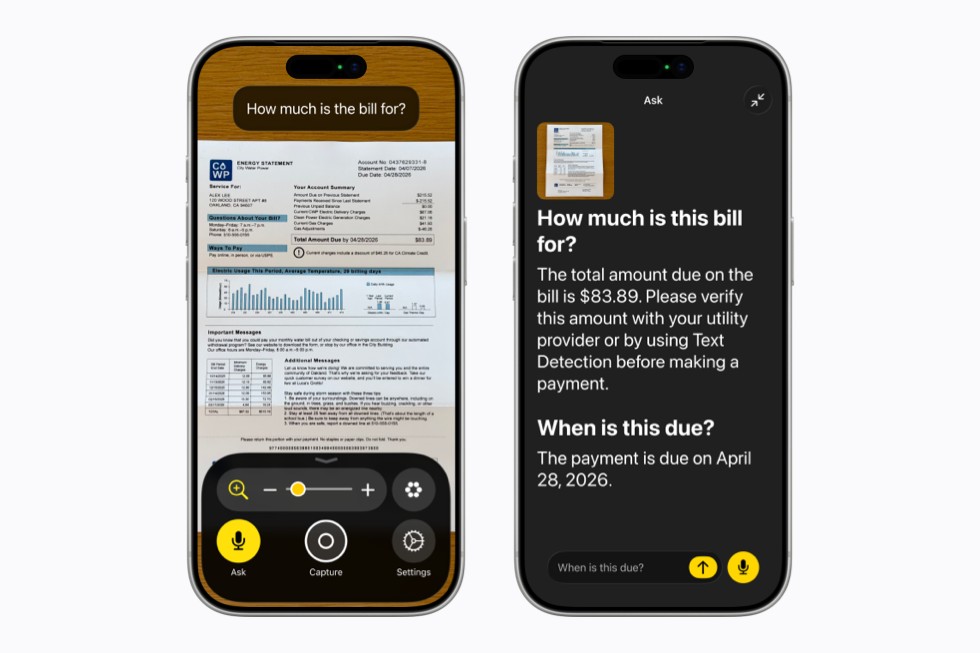
Magnifier designed for low-vision users with a high-contrast interface gets the same treatment, with spoken commands like zoom in or turn on flashlight, plus Action button integration for querying what the user is looking at.
For users with motor disabilities who navigate their phones entirely by voice, Voice Control has long been one of Apple’s most sophisticated features. But it has always had a friction point: you had to know the exact label of a button or control to tap it. If a developer had not properly labeled an interface element, Voice Control users hit a wall.
Apple Intelligence changes this with natural language input. Instead of memorizing button names or number overlays, users can now describe what they see in Apple Maps, tap the guide about best restaurants, or in Files, tap the purple folder.
This matters not just for usability but for equity. Many popular apps have poor accessibility labeling developers overlook it, and users suffer the consequences. By letting Voice Control work from visual context rather than accessibility metadata alone, Apple is building a safety net that benefits users even when developers have been careless. That is clever engineering with real-world impact. The feature launches in English for users in the U.S., Canada, the UK, and Australia.
Accessibility Reader is a customized reading experience for users with a wide range of disabilities, from dyslexia to low vision. The updated version, powered by Apple Intelligence, now handles complex source material like scientific articles managing text with multiple columns, images, and tables.
Two additions stand out. On-demand summaries let readers get an overview before diving into the full text. And new built-in translation lets users read in their native language while retaining their custom formatting, font, and colors. That combination accessible formatting plus native-language reading opens the door to complex information that was previously inaccessible to large groups of users.
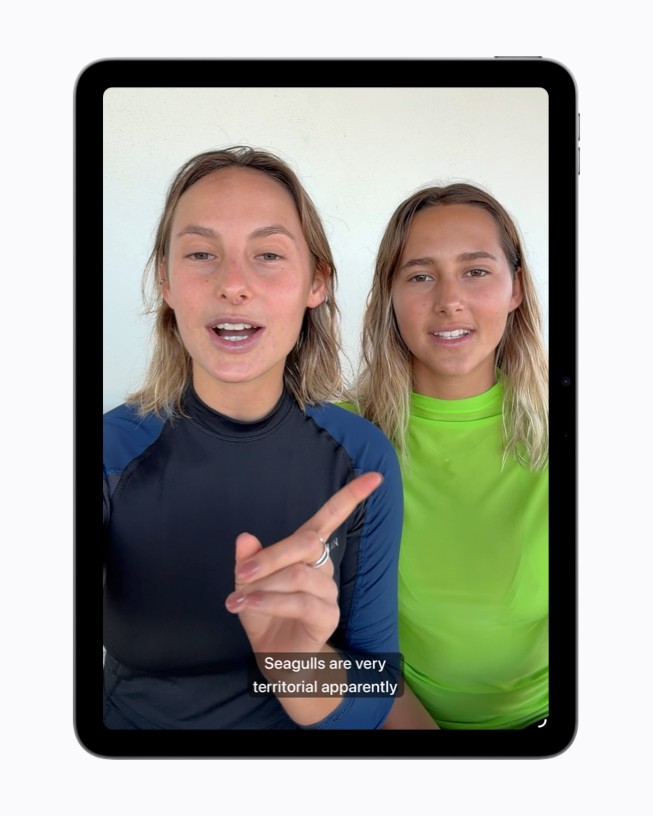
Closed captions on broadcast content have improved a lot over the past decade. But a huge share of the video people actually watch clips from family members, personal recordings, casual social content has no captions at all. For deaf and hard-of-hearing users, this has always been a gap.
Apple is closing it. The new generated subtitles feature automatically transcribes spoken audio in any uncaptioned video clips recorded on iPhone, received from friends and family, or streamed online across iPhone, iPad, Mac, Apple TV, and Apple Vision Pro. It does this using on-device speech recognition, meaning the content never leaves the user’s device. Appearance is customizable through the video player or Settings. At launch, the feature supports English for users in the U.S. and Canada.
If any single announcement deserves to be called a milestone, it is this one.
A new power wheelchair control feature leverages the precision eye-tracking system on Apple Vision Pro to give users a responsive input method for compatible alternative drive systems. Eye tracking doesn’t require frequent recalibration and works in a variety of lighting conditions. The feature launches with Tolt and LUCI alternative drive systems in the U.S., with support for both Bluetooth and wired connections.
For people who use power wheelchairs and cannot operate a joystick due to ALS, spinal cord injury, or other conditions this is not a quality-of-life improvement. It is a means of independent movement.
The option to control my power wheelchair on my own is gold to me, said Pat Dolan, founder of GeoALS and a member of Team Gleason’s patient advisory board, who has lived with ALS for 10 years. With this new feature, Apple is developing life-enhancing technology for the people who need it most.
That the eye-tracking holds up across variable lighting conditions without recalibration is a genuine technical achievement. A wheelchair control system that fails under a bright sun or in a dim restaurant is not a reliable mobility tool. Apple says this one holds up.
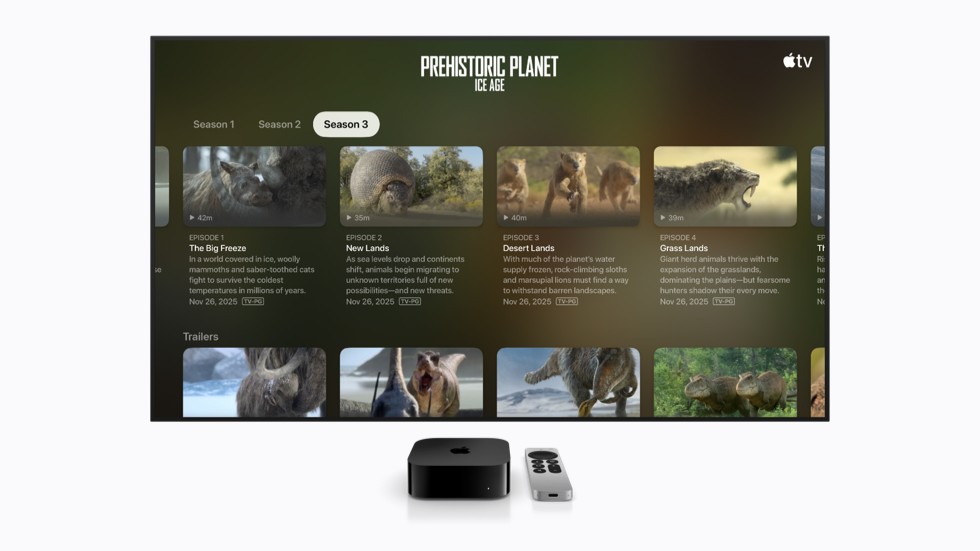
Beyond the headline features, Apple announced several updates that will matter deeply to specific users. Name Recognition which alerts deaf and hard-of-hearing users when someone says their name, now works in more than 50 languages globally. Made for iPhone hearing aids will hand off more reliably between Apple devices. Apple TV finally gets larger text support for low-vision viewers. And a new FaceTime API lets sign language interpretation developers add a live human interpreter to an ongoing video call.
Apple is also adding support for the Sony Access Controller across iOS, iPadOS, and macOS, allowing users to configure the thumbstick, nine built-in buttons, and up to four external switches and even combine two controllers for a deeply personalized gaming experience. Gaming accessibility is a chronically neglected area. This is a meaningful step.
The past two years of AI product announcements have been heavy on demos and light on use cases that justify the hype. Smarter autocomplete, faster search, AI-generated images useful for some people, some of the time.
The features Apple announced are useful in a different register entirely. They give people access to things they could not do before, independently and privately. A person with ALS who can now drive their wheelchair with their eyes is not experiencing a marginal improvement in convenience. A blind user who points their phone at a bill and asks how much do I owe? is not getting a better version of something that already worked. A deaf teenager watching an uncaptioned video shared by a friend, and seeing subtitles appear automatically, is participating in something from which they were previously excluded.
This is what Apple Intelligence looks like when it is applied to problems that actually need solving. The features will arrive later this year. If they work as demonstrated, they will be the most meaningful software updates Apple ships in 2026 even if they never make the front page.