

Our editorial team is comprised of skilled technology experts and developers. To ensure that our research is easy to understand in simple and plain English, we may use AI-assisted tools for grammatical refinement and structural smoothness. However, every technical insight, test, and experience displayed has been fully completed and verified by our human team. All content remains the original property of Droid Expose. See more in our Privacy Policy.
Fifteen years after the debut of the Chromebook, Google is officially moving beyond the traditional operating system. The company introduced Googlebook, a new category of premium laptops designed to replace the cloud-first era with an intelligence-first ecosystem.
By merging the app-rich foundation of Android with the speed of ChromeOS, Google is attempting to turn the laptop into a proactive assistant powered entirely by Gemini Intelligence.
Table of Contents
Magic Pointer: Rethinking the Cursor
The most visible change in the Googlebook experience is the Magic Pointer, a feature developed in collaboration with Google DeepMind. Google argues that the laptop cursor has remained stagnant for decades; the Magic Pointer changes this by making the cursor alive with Gemini.
- Contextual Actions: By simply wiggling the cursor, users activate Gemini to receive real-time suggestions based on what is on the screen.
- Proactive Tools: Pointing at a date in an email can instantly trigger a meeting setup, while selecting two separate images—such as a piece of furniture and a photo of a room—allows users to visualize them together instantly.
- Intuitive Workflow: The pointer includes specific tools to ask, compare, and combine elements across applications.
A Personalized Desktop with Custom Widgets
Google is also introducing Create your Widget, allowing users to build a custom dashboard through simple natural language prompts. Gemini can pull data from the web or connected Google apps like Photos, Gmail and Calendar to create a single, helpful spot on the desktop. For example, a user could prompt Gemini to organize all flight details, hotel reservations, and a countdown for a specific trip into one personalized widget.
Deep Android Integration
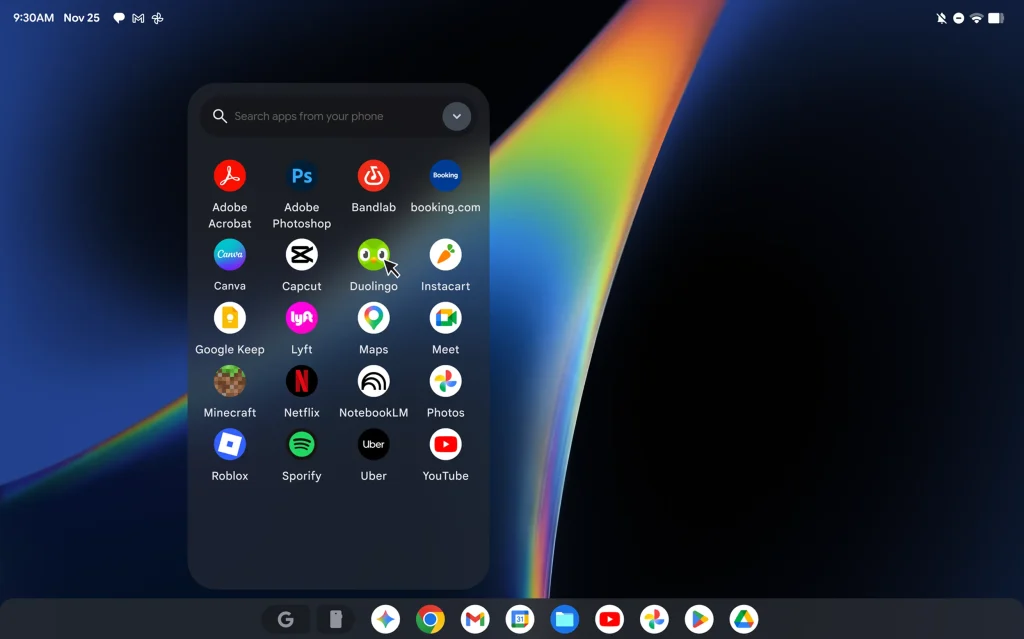
Because Googlebook is built on the Android tech stack, the synergy between the laptop and Android smartphones is seamless.
- App Continuity: Users can access and interact with phone apps directly on their laptop screen, such as finishing a language lesson or ordering food without switching devices.
- Quick Access: The file browser on a Googlebook can view, search, and insert files directly from a connected phone without requiring any manual transfers.
Premium Hardware and the Glowbar
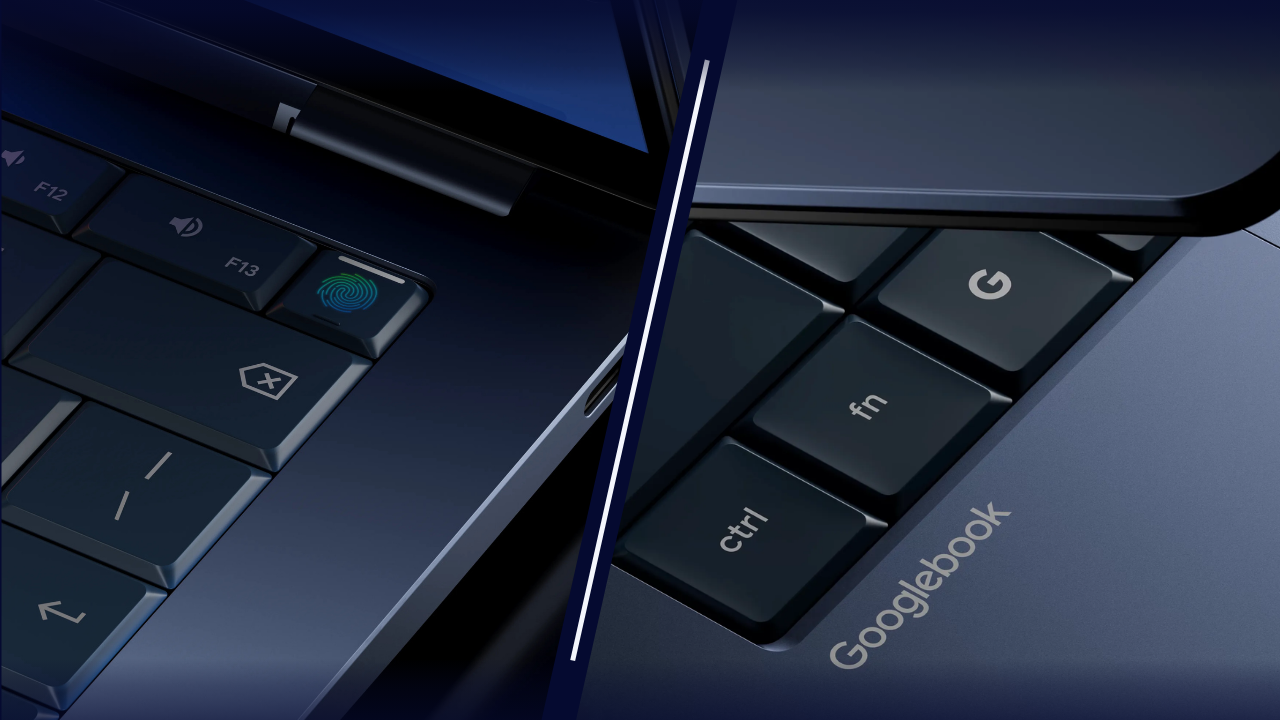
Google is positioning these as high-end devices, moving away from the budget-friendly reputation of early Chromebooks. Every Googlebook will feature a signature glowbar—a functional and aesthetic light element on the lid that serves as the category’s primary identifier.
The first wave of Googlebooks is being developed by industry leaders including Acer, ASUS, Dell, HP, and Lenovo. While official pricing has not yet been disclosed, the emphasis on premium materials and craftsmanship suggests a competitive stance against high-end rivals like the MacBook.
The first Googlebook devices are scheduled to become available this fall.