

Our editorial team is comprised of skilled technology experts and developers. To ensure that our research is easy to understand in simple and plain English, we may use AI-assisted tools for grammatical refinement and structural smoothness. However, every technical insight, test, and experience displayed has been fully completed and verified by our human team. All content remains the original property of Droid Expose. See more in our Privacy Policy.
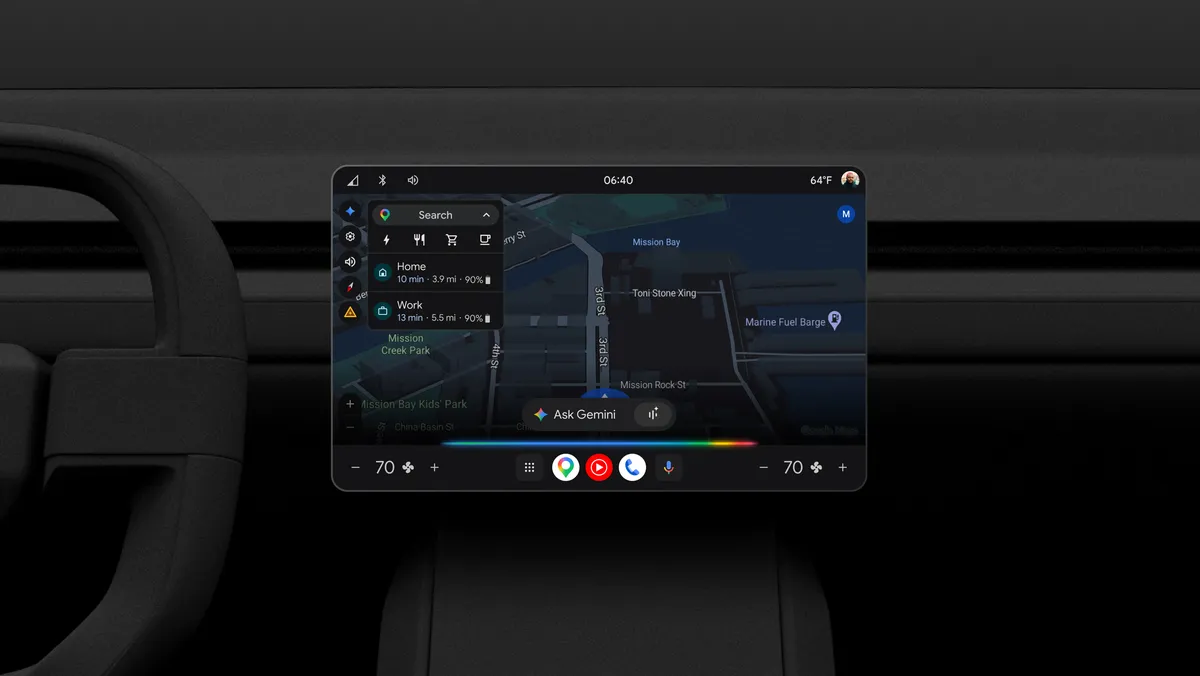
Google is officially upgrading the driving experience by bringing its Gemini AI to vehicles with Google built-in. This new update replaces the traditional Google Assistant with a much smarter, more conversational partner that can help you manage your day while you keep your eyes on the road.
The rollout is currently starting with English-speaking users in the United States. Importantly, this isn’t just for brand-new cars hitting the showroom floor; Google is delivering this AI upgrade to existing eligible vehicles through a simple software update.
Table of Contents
Talk to Your Car Like a Human
The biggest change is that you no longer have to use specific, robotic voice commands. Gemini is designed to understand natural language, making your interactions feel more like a real conversation.
- Smart Planning: You can ask for a hotel recommendation with complex needs, such as finding a highly-rated spot along your route that offers outdoor seating.
- Follow-up Questions: After finding a place, you can ask natural follow-up questions like, How is the parking there? or Do they have vegetarian options? without starting over.
- Messaging Made Easy: Gemini can summarize your incoming texts so you can stay updated without looking at your phone, and it allows you to edit your voice-replies naturally if you change your mind.
A Built-in Expert for Your Vehicle
Because Gemini is deeply integrated with the car’s system, it acts as a digital version of your owner’s manual.
- Instant Manual Answers: You can ask specific questions like, How do I prep my car for an automatic wash? or How do I program the trunk to not open all the way?
- EV Specialist: For electric vehicle owners, Gemini can provide real-time battery insights, such as your estimated charge level upon arrival or finding a charger with a nearby cafe.
- Climate Control: You can use vague phrases like- it’s freezing in here, and the AI will understand you want to turn up the heat and the defroster.
Free-Flowing Brainstorming
Google is also including Gemini Live (currently in beta) for your dashboard. By saying “Hey Google, let’s talk,” you can start a free-flowing conversation to learn about the history of your destination or brainstorm fun activities to do once you arrive.
How to Upgrade
If you are signed into your Google Account in an eligible vehicle, you will see an option to upgrade to Gemini. Once you’ve made the switch, you can wake the assistant by saying “Hey Google,” tapping the microphone icon on your screen, or using your steering wheel’s voice button.
In the near future, Google plans to expand this feature to more countries and languages, while also allowing drivers to safely access information from apps like Gmail and Calendar.